
PDF tools6 min read
Accessible PDF documents: what they need
What makes a PDF accessible — tags, reading order, alternative text, language —, what PDF/UA and WCAG cover, and what applies in Switzerland.
A music school in Aarau puts its course programme and registration form on its website as PDFs every semester. In spring, a father gets in touch: he is blind and uses a screen reader. It reads the course programme to him as a jumbled sequence of words, skips the table of course times entirely, and for the registration form all he hears is “image”.
On screen, both files look flawless. What is missing is invisible: the structure that tells an assistive technology what is on the page and in what order.
What a screen reader needs in a PDF
The PDF Association, the industry body behind the format, puts it like this: beyond alternative descriptions for images, the accessibility of an electronic document depends on semantic information describing its logical structure — sections, paragraphs, lists, tables. The PDF feature that carries this information is called “Tagged PDF”.
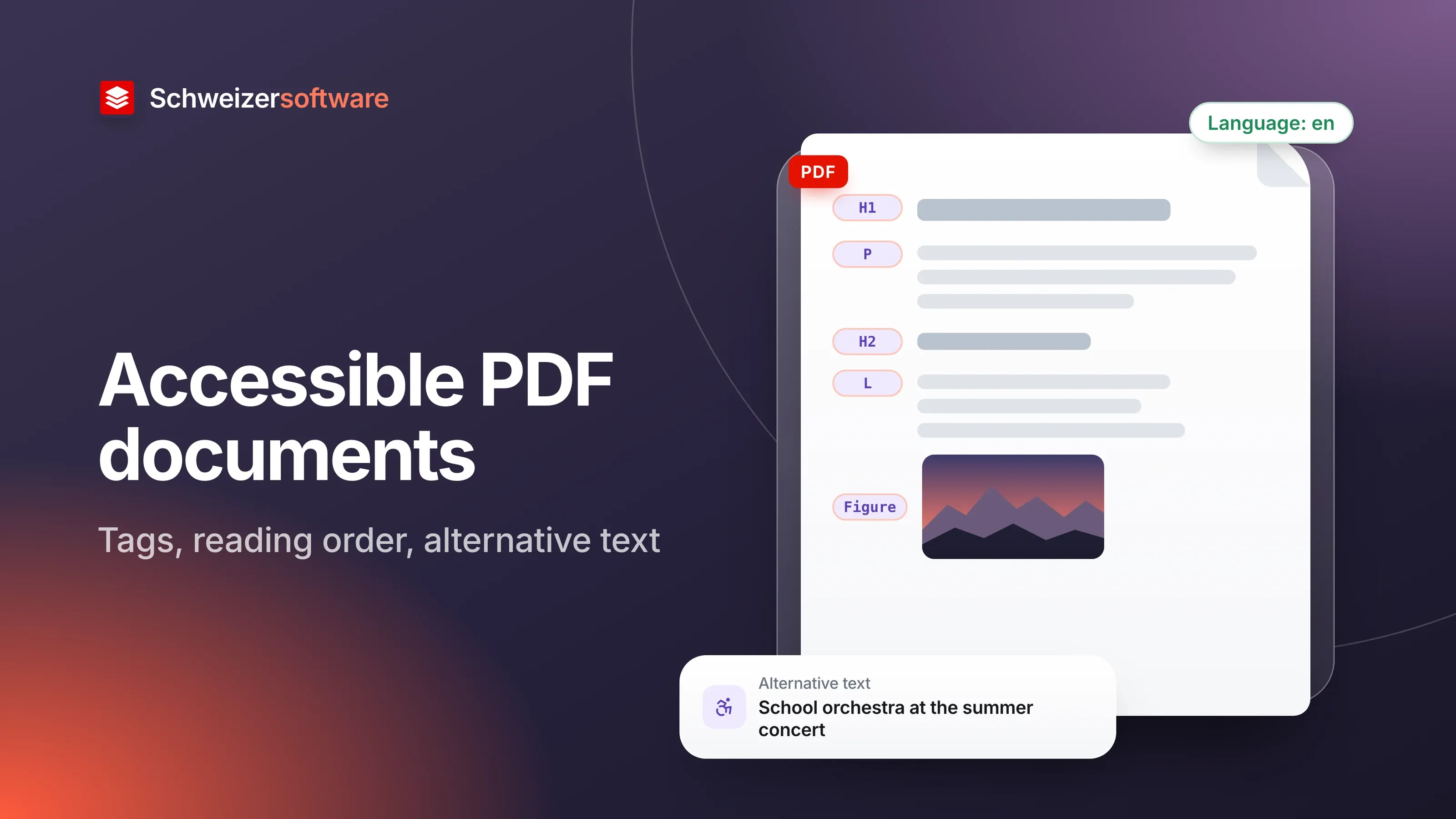
To an assistive technology, a PDF without tags is like a sheet with letters placed at certain positions. A PDF with tags also says: this is the title, this a second-level heading, this a list with four items, this a table with a header row.
The building blocks
The W3C’s Web Content Accessibility Guidelines (WCAG) are the international benchmark for accessible digital content. Several of their success criteria carry over directly to a PDF:
| Building block | What it is about | WCAG 2.1 |
|---|---|---|
| Structure tags | Headings, lists and tables are marked up as such | 1.3.1 |
| Reading order | The content is read out in a meaningful order | 1.3.2 |
| Alternative text | Images and graphics have a text alternative | 1.1.1 |
| Document language | The language is set so words are pronounced correctly | 3.1.1 |
| Document title | A title describes the topic or purpose | 2.4.2 |
| Contrast | Text stands out enough from the background (at least 4.5:1) | 1.4.3 |
| Colour | Information is not conveyed by colour alone | 1.4.1 |
In Switzerland, document language is a point of its own: a French leaflet marked as German is read out with German pronunciation — barely understandable for the person listening.
Scanned documents
Scans are a separate case. In a PDF, a scanned sheet is at first just a picture of the page; it contains no text an assistive technology could read out. Only text recognition (OCR) turns it into readable text, and even then headings, lists and table structure are missing until they are marked up.
The music school’s registration form was such a case: printed, filled in by hand, scanned again. For a form in regular use, a digitally created template — or an online form straight away — is usually the shorter route.
Forms in a PDF
A PDF with fillable fields is a special case. For a screen reader to announce a field, it needs a label that is connected to the field — not just a word that happens to sit next to it. WCAG requires labels or instructions when input is expected (success criterion 3.3.2), and that the name, role and value of a control can be determined by assistive technologies (success criterion 4.1.2).
Then there is the order in which the Tab key moves from field to field. If it jumps from the name to the signature and only then to the address, it is not only a blind person who loses their bearings but everyone working without a mouse.
PDF/UA and WCAG
There is a dedicated standard for accessible PDF: ISO 14289, known as PDF/UA (Universal Accessibility). According to the PDF Association, the family consists of PDF/UA-1, last revised in 2014, and PDF/UA-2 from 2024 for PDF 2.0.
PDF/UA describes the technical features of an accessible PDF and provides a means of creating PDF files that conform to WCAG. The PDF Association also points out its limits: conformity with PDF/UA alone does not necessarily ensure that the content is accessible. Colour and contrast may still be used poorly, and the text may remain hard to understand for people with certain cognitive impairments.
What applies in Switzerland
The Disability Discrimination Act (BehiG) contains two provisions that are often cited here:
- Authorities. Where authorities offer their services on the internet, these must be accessible to people with visual impairments without making things harder for them (Art. 14 para. 2 BehiG).
- Private providers. Private parties offering services to the public may not discriminate against people with disabilities because of their disability (Art. 6 BehiG).
For technical implementation, there is the e-government standard eCH-0059. Version 3.0 is based on WCAG 2.1 and, according to eCH, applies primarily to the information and services of public bodies and licensed companies; it also gives other providers the option of implementing their offerings according to uniform criteria. Which obligations apply to a particular business depends on its role — cantonal rules may add to them.
How an accessible PDF is made
The simplest route runs through the source document. A PDF can only contain structure that was created beforehand. In Word, that means: headings as styles, real lists and tables, alternative text for images, a set language. Microsoft recommends running the Accessibility Checker before saving and leaving the option “Document structure tags for accessibility” switched on when saving as PDF. The individual options when saving are covered in the post Converting Word to PDF.
A PDF assembled afterwards from scans, photos and exports from different programs, on the other hand, can only be repaired with a lot of manual work. Anyone who publishes a document regularly usually does better when the template is right.
Checking
Checking tools show whether a PDF meets the technical requirements. A widely used one is the PDF Accessibility Checker (PAC), a free program that checks against PDF/UA and WCAG. It goes back to the Swiss foundation “Access for all” (Zugang für alle) and is developed today by axes4.
Automatic checks do not find everything, though. Whether an alternative text describes the image sensibly, or whether the reading order matches the content, is best judged by a person. A simple test: listen to the document once with your own computer’s read-aloud function.
For the music school in Aarau
The school rebuilds its course programme in the word processor, with styles, a real table for the course times and an alternative text for the photo of the orchestra. The PDF is saved with structure tags and checked once with PAC. The scanned registration form is replaced by an online form. The father receives the new programme by email, with a request for feedback.
The PDF tools we are building will merge, split and convert PDF files — processed in Switzerland, in memory, without any file being kept. The structure of an accessible document, however, is created in the source document, by the people who write it.
Sources
- 1.PDF Association: ISO 14289-1 (PDF/UA) (checked on 25 September 2026)
- 2.W3C: Web Content Accessibility Guidelines (WCAG) 2.1 (checked on 25 September 2026)
- 3.Behindertengleichstellungsgesetz (BehiG, SR 151.3) (checked on 25 September 2026)
- 4.eCH-0059 Accessibility Standard V3.0 (checked on 25 September 2026)
- 5.Microsoft Support: Erstellen von barrierefreien PDF-Dateien (checked on 25 September 2026)
- 6.PDF Accessibility Checker (PAC) (checked on 25 September 2026)
Be told when it launches
This idea is still being planned. Sign up and we will write to you once, when it becomes an app. Signing up is non-binding – no newsletter, no advertising.
View the idea